
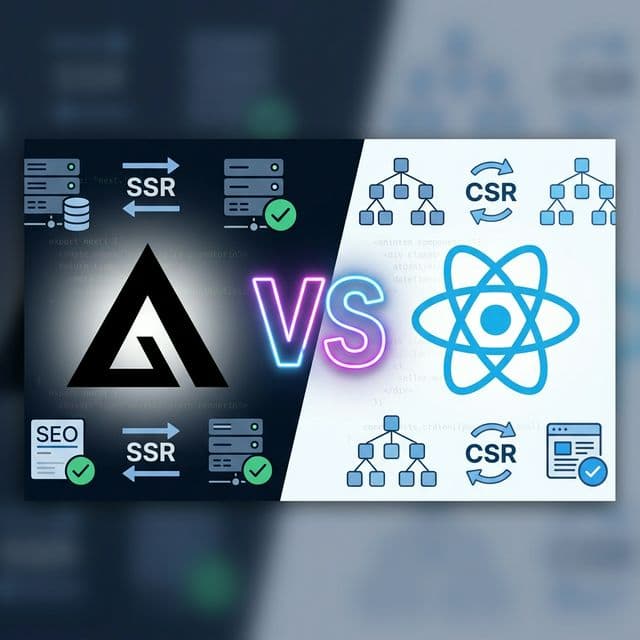
If you're building a website in 2026 and care about Google rankings, this comparison will save you from a costly framework mistake.
React and Next.js are not competitors — Next.js is built on top of React. But they serve fundamentally different purposes. Choosing the wrong one can mean the difference between page 1 and page 50 of Google search results.
In this guide, I'll break down the real-world SEO implications of using React (standalone) vs. Next.js in 2026 — with code examples, performance benchmarks, and practical recommendations for developers, startup founders, and agencies.
🎯 TL;DR — Quick Answer
- Need SEO? → Use Next.js (server rendering, static generation, metadata API)
- Building a dashboard or internal app? → React (Vite) is faster to set up and SEO doesn't matter
- Building both? → Use Next.js as the foundation — it handles both cases
The Core Difference: How Google Sees Your Website
Understanding how search engines crawl and index content is the foundation of this entire comparison.
❌ React (Client-Side Rendering)
<script src="bundle.js"></script>
When Googlebot visits your React SPA, it initially sees an empty HTML page. It must:
- Download the JavaScript bundle (200KB+)
- Execute the JavaScript
- Wait for API calls to complete
- Then render the content
⚠️ Google's rendering queue can take hours to days. Many pages never get fully indexed.
✅ Next.js (Server-Side Rendering)
<p>Full content here...</p>
<script src="hydrate.js"></script>
When Googlebot visits your Next.js page, it immediately sees the full HTML:
- Full HTML with all content pre-rendered
- Meta tags, headings, structured data already present
- JavaScript hydrates for interactivity
- Content is indexed instantly
✅ Pages are indexed within minutes, not days.
Feature-by-Feature SEO Comparison (2026)
| SEO Factor | React (Vite/CRA) | Next.js 15+ | Winner |
|---|---|---|---|
| Server-Side Rendering (SSR) | ❌ Not built-in | ✅ Default behavior | Next.js |
| Static Site Generation (SSG) | ❌ Requires Gatsby or manual setup | ✅ Built-in with generateStaticParams | Next.js |
| Meta Tags / Open Graph | ⚠️ Requires react-helmet (client-side) | ✅ Metadata API (server-rendered) | Next.js |
| Core Web Vitals (LCP) | ⚠️ Slower — large JS bundle blocks render | ✅ Faster — HTML arrives pre-rendered | Next.js |
| Image Optimization | ❌ Manual (lazy loading, WebP conversion) | ✅ next/image auto-optimizes | Next.js |
| Sitemap Generation | ❌ Manual or 3rd-party tool | ✅ Built-in sitemap.ts route | Next.js |
| React Server Components | ❌ Not supported (client-only) | ✅ Default in App Router | Next.js |
| URL Routing | ⚠️ React Router (hash or history API) | ✅ File-based (clean URLs by default) | Next.js |
| Structured Data (JSON-LD) | ⚠️ Injected client-side (unreliable) | ✅ Server-rendered in <head> | Next.js |
| Setup Complexity | ✅ Simple — just React + Vite | ⚠️ More concepts to learn | React |
📊 Score: Next.js 9 — React 1
For SEO-first websites, Next.js wins in virtually every category. React's only advantage is setup simplicity — which matters less and less as Next.js tooling improves.
When Should You Still Use React (Without Next.js)?
React without Next.js is still the right choice in specific scenarios:
Internal Dashboards & Admin Panels
Nobody Googles your company's internal CRM. SEO is irrelevant. React + Vite gives you faster dev experience.
Embedded Widgets & Microfrontends
If your React component is embedded inside another app (like a chat widget), you need a lightweight SPA, not a full framework.
Mobile Apps (React Native)
If you're building cross-platform mobile apps, React Native is the path — not Next.js.
Learning React Fundamentals
If you're learning React for the first time, starting with pure React helps you understand the core concepts before adding Next.js abstractions.
The 2026 Rendering Strategy Landscape
In 2026, rendering is no longer a binary SSR vs. CSR decision. Next.js gives you granular control per component:
🖥️ Server Components (Default)
Zero JavaScript sent to browser. Perfect for:
- Blog posts & articles
- Product pages
- Landing pages
- Documentation
// Browser receives pure HTML
export default async function Page() {
const data = await fetchData();
return <Article data={data} />;
}
⚡ Client Components (Opt-in)
Interactive JavaScript sent to browser. Use for:
- Forms & input fields
- Interactive tools
- Animations
- Real-time features
// This component needs interactivity
export function PDFCompressor() {
const [file, setFile] = useState(null);
return <FileUploader />;
}
Real-World SEO Performance: A Case Study
We built EpicMartWorld — a suite of 30+ free online tools — using Next.js 16 with the App Router. Here's what happened to our SEO metrics within 3 months:
83
Pages Indexed
<1.5s
Avg. LCP
100%
SSR Coverage
0
JS-Only Pages
Every page — from our PDF Compressor to our Background Remover — is server-rendered with full JSON-LD schema, dynamic sitemaps, and optimized metadata. This would have been extremely difficult with a plain React SPA.
Next.js SEO Features You Should Be Using in 2026
1. The Metadata API
Next.js's generateMetadata() function generates title tags, OG images, and Twitter cards at the server level — no client-side JavaScript needed.
return {
title: 'Free PDF Compressor | EpicMartWorld',
description: 'Compress PDF files...',
openGraph: { images: ['/og/compress-pdf.png'] }
};
}
2. Dynamic Sitemaps
Generate sitemaps programmatically from your data. No external tools needed.
export async function GET() {
const tools = getAllTools();
const sitemap = tools.map(t => `...`);
return new Response(sitemap, {
headers: { 'Content-Type': 'application/xml' }
});
}
3. JSON-LD Structured Data
Inject SoftwareApplication, FAQPage, and BlogPosting schema directly in Server Components — Google reads it instantly.
const jsonLd = {
"@type": "SoftwareApplication",
"offers": { "price": "0" },
"aggregateRating": { "ratingValue": "4.9" }
};
return <script type="application/ld+json" ... />;
}
4. Automatic Image Optimization
The next/image component automatically converts images to WebP/AVIF, generates responsive srcsets, and lazy-loads off-screen images — all critical for Core Web Vitals.
The 2026 Developer's Decision Framework
Ask yourself these 3 questions:
Question 1: "Will users find this via Google search?"
Yes → Next.js | No → React is fine
Question 2: "Do I need fast initial page loads?"
Yes → Next.js (SSR/SSG) | No → React with Vite
Question 3: "Am I building for the public web or an internal team?"
Public → Next.js | Internal → React is perfect
💡 Pro Tip: If you answered "Next.js" to even ONE question, just use Next.js. You can always add client-side interactivity with 'use client' where needed.
Start Your Developer Journey
Whether you choose React or Next.js, having a clear roadmap is essential. We've built comprehensive, free developer roadmaps to guide you:
⚛️ React Developer Roadmap
Master React from fundamentals to advanced patterns
🚀 Full-Stack Developer Roadmap
Frontend + Backend + DevOps — the complete path
🎨 Frontend Developer Roadmap
HTML, CSS, JS, React, and beyond
🟢 Node.js Developer Roadmap
Backend JavaScript with Express & APIs
Frequently Asked Questions
Q: Is Next.js harder to learn than React?
Not really. If you know React, you already know 80% of Next.js. The main additions are file-based routing, server components, and the metadata API — which are simpler than configuring webpack and react-router manually. Most developers find Next.js easier because it handles routing, SSR, and image optimization out of the box.
Q: Can Google index React SPAs properly?
Google can render JavaScript, but it's not reliable. Googlebot uses a rendering queue that may take hours or days. Complex React apps with API calls, auth gates, or lazy-loaded components often get partially indexed or not indexed at all. For SEO-critical pages, server rendering is the only safe approach in 2026.
Q: What about Remix, Astro, and other frameworks?
Remix (now part of React Router v7) is excellent for data-heavy apps. Astro is perfect for content-heavy sites with minimal interactivity. However, Next.js has the largest ecosystem, most Vercel/hosting support, and most comprehensive feature set in 2026. For most teams, Next.js is the safest bet.
Q: Does Next.js improve Core Web Vitals automatically?
Yes, partially. Server rendering improves LCP (Largest Contentful Paint) significantly. next/image reduces CLS (Cumulative Layout Shift). But you still need to optimize your own code — large client-side bundles, unoptimized fonts, and render-blocking scripts can hurt performance in any framework.
Q: Should I migrate my existing React SPA to Next.js?
If organic traffic matters to your business, yes. The migration effort is typically 2–4 weeks for a medium-sized app. Start by moving your landing pages and content pages to Next.js while keeping the interactive dashboard as a React SPA. This "hybrid" approach gives you SEO wins immediately without rewriting your entire app.
Ready to Build? Use Our Free Developer Tools
We built 30+ free tools using Next.js — from PDF compressors to code formatters. Try them and see SSR + SEO in action.
Build SEO-first websites with the right framework. Explore our Meta Tags Generator and Sitemap Generator to supercharge your SEO workflow.